THE SHORT ANSWER
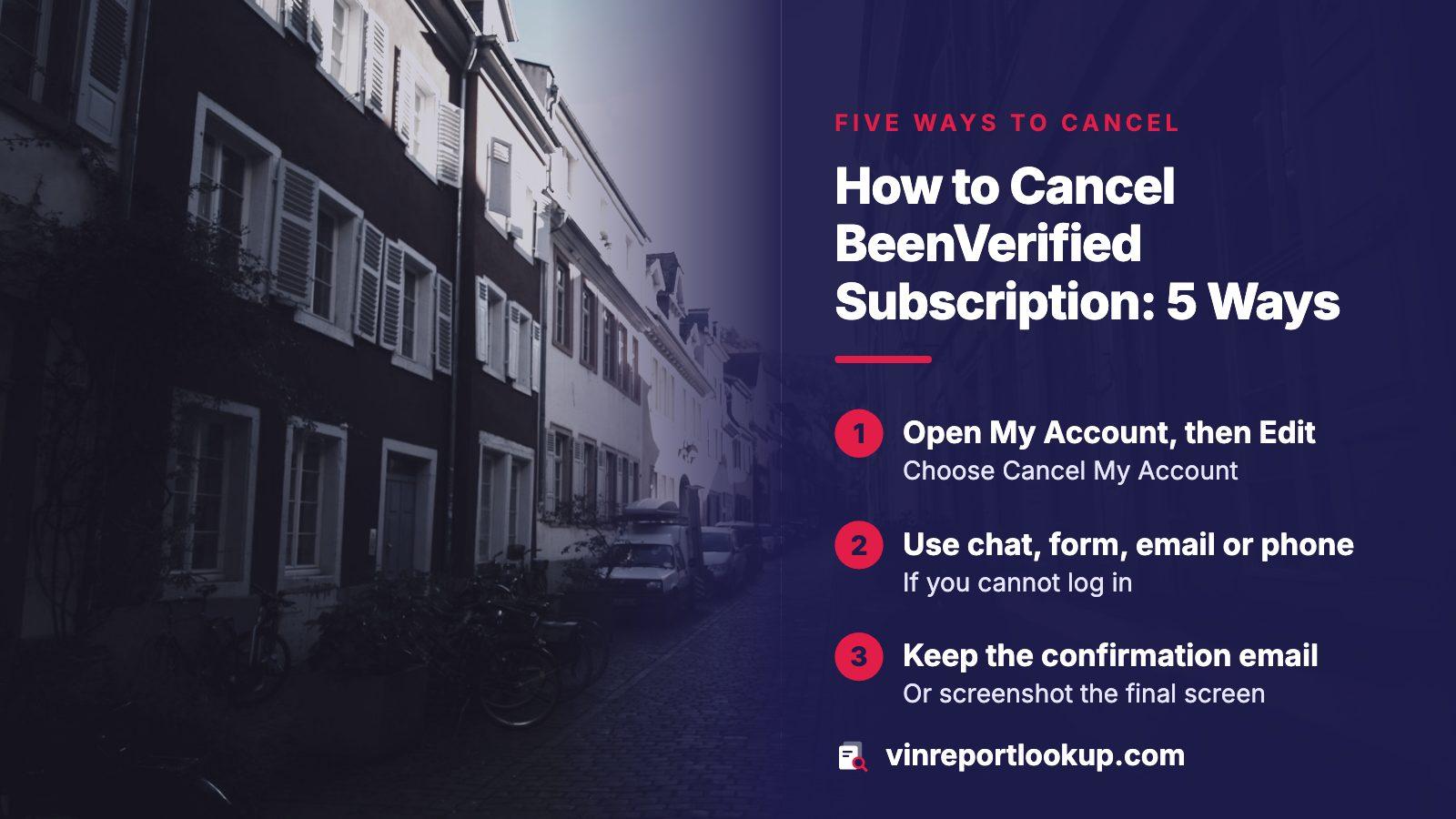
If you can log in, open My Account, go to Edit My Account Information and choose Cancel My Account. If you cannot, use the chat window, the Contact Us form, an email to support, or the phone line, and give your membership ID. Plans bought in the iOS or Android app are cancelled in Apple or Google settings instead. Reports you already paid for stay usable until the term ends.
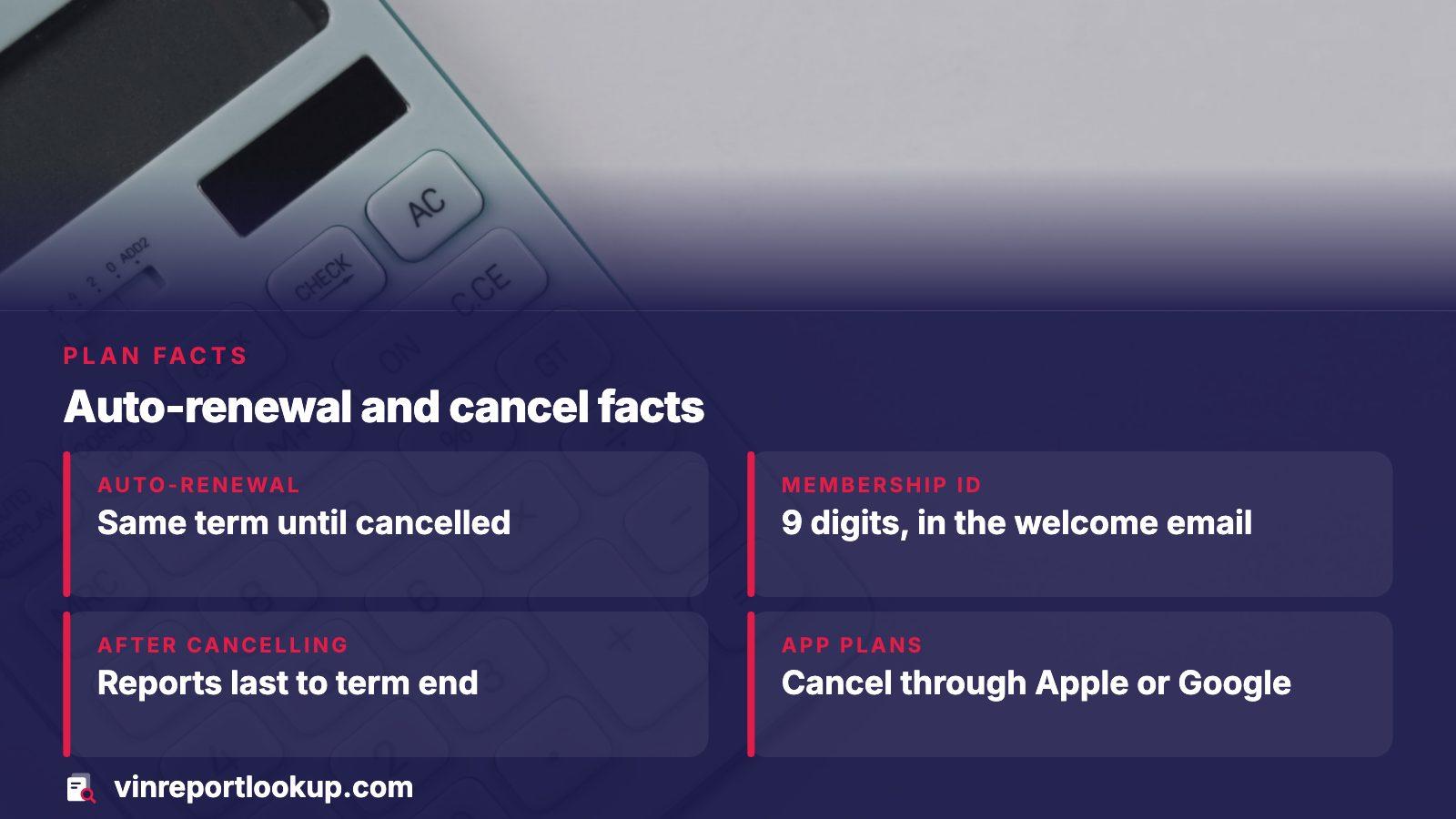
- Auto-renewal
- Renews for the same term until cancelled
- Membership ID
- 9 digits, in the welcome email or account details
- After cancelling
- Remaining reports last to the end of the paid term
- App plans
- Cancelled through Apple or Google, not BeenVerified
Why a car buyer ends up with this plan
BeenVerified is a people-search service that also offers vehicle history among its tools. Someone who just wanted to look at one used car can sign up for a plan meant for many searches, and the plan keeps billing after the car is bought or passed on. That mismatch is the usual reason for the cancellation search.
On its billing page the company says a paid account comes with a limited number of reports for each billing period, and that membership renews on its own for the same term until you cancel. It does not print a price there; visitors are sent to a page of current sign-up deals, and the company says its offers change. So check your own receipt for what you agreed to.
Cancel from inside your account
BeenVerified recommends logging in first, since that gives the fastest result. The path is short:
- Log in and open the My Account page from the menu or the dashboard.
- Under Edit My Account Information, pick Cancel My Account.
- Follow the prompts to the end, then look for a confirmation email.
- Save the confirmation, or take a screenshot of the final screen.
Do not stop at the first screen. A cancellation that was never confirmed is the commonest reason a charge shows up a month later.

If you cannot log in
Forgotten password, old email address, a card someone else used: the company lists four other routes that do not need a login. You will need the membership ID for most of them. It is in the welcome email you got on sign-up, and in the Account Details section once you are in.
| Route | What to do |
|---|---|
| Live chat | Open the chat window on the site and ask the agent to cancel |
| Contact Us form | Choose Cancel Account and enter the membership ID |
| Write to support@beenverified.com with the ID and a clear request to cancel | |
| Phone | Call 1-844-823-2869 and have the ID ready |
If you reach for email, keep the sent message. It is your dated proof that you asked.
Plans bought in the iPhone or Android app
A subscription started inside the app is billed by Apple or Google, so BeenVerified cannot stop it from its own account page. Deleting the app does nothing either; the company states that uninstalling does not end the plan.
- iPhone or iPad: open Settings, tap your name, tap Subscriptions, select the BeenVerified entry and tap Cancel Subscription. If no Cancel button appears, or you see a red expiry notice, the plan is already ending.
- Android: open Google Play, go to Account, then Subscriptions, select BeenVerified and tap Cancel subscription.
In both cases access runs until the period you paid for ends.
What you keep and what you lose
Cancelling stops the next renewal. It does not cut you off at once: BeenVerified says you can use the reports left in your paid term, and the plan is simply not renewed afterward.
Afterward, you can still log into the cancelled account. Past reports then sit behind a prompt to reactivate, so download or note what you need before the term runs out. Reactivating later is possible, which also means a stray click can restart billing.
Before the term ends
If you ran a vehicle search and want the details, copy them out now. After the term closes, opening an old report means reactivating the plan.
Refunds and charges you do not recognize
Refunds go through support by email, with your member ID or sign-up email. The company decides case by case, and says it processes an approved refund right away on its side while a bank can need as long as 10 days to show it. Charges made through Apple or Google must be refunded by them; Apple says to expect an update within 24 to 48 hours of a request.
For a charge you do not know, BeenVerified's own explanation is that someone signed up and became a member, often a relative or coworker. It asks you to write to support if the charge looks unauthorized. A failed sign-up can also leave a pending authorization, which it says drops off within a few business days and is not a real charge.
To see what was billed, open My Account and choose to show order history. It lists the date, amount, item and payment method for each charge.
When billing continues after you cancelled
The FTC's advice is to keep a copy of your cancellation request, note every conversation, and watch your statements afterward. If the company keeps charging you after you asked it to stop, dispute the charge with your card company, online or by calling the number on the back of the card.
- Follow up in writing to the card issuer's billing-errors address, by certified mail with a return receipt.
- For a credit card, your written billing-error letter has to arrive at the issuer inside 60 days of the first statement carrying the mistake.
- If cancelling proved difficult, file a report at ReportFraud.ftc.gov, and tell your state attorney general.
The issuer must acknowledge a written dispute within 30 days and resolve it within 90 days, per the FTC.
If you only wanted one car checked
A plan built for searching people is a roundabout way to buy a car's history. VINReportLookup works the other way: you enter the VIN, see a free preview, and decide whether to buy the report. It is one payment with no renewal, so there is nothing to cancel later. Packs of several reports exist for people comparing a few cars.
Check the pricing page for what a report costs today. If you are still weighing services, our comparison of alternatives to BeenVerified lays out the options.
Where this information comes from
- BeenVerified: billing and cancellation FAQ — cancel routes, renewal terms, app subscriptions, order history
- BeenVerified: refund policy — how refunds are requested and how long they take to post
- FTC: free trials, auto-renewals and negative option subscriptions — records to keep, chargebacks and where to report
- FTC: disputing credit card charges — written dispute timing for credit cards
- Apple Support: request a refund — refund route for charges billed by Apple
Sources and photos: Facts checked against the sources above in November 2026. Photos by Karwin Luo, Alejandro Escamilla and Sasun Bughdaryan on Unsplash; diagrams by VINReportLookup.
Keep reading
- BeenVerified alternatives for checking a used car by VINOptions if you want a car history without a people-search plan.
- BeenVerified VIN check cost: what the plan bills and what to compareWhat we could and could not confirm about its VIN checks.
- Car history report subscription: when a plan pays and when to skip itHow subscription plans for history reports work in general.
- How to cancel a Carfax subscription when Carfax's own pages will not openThe same cancel-and-dispute steps for a different biller.
Frequently asked questions
Can I cancel BeenVerified by phone?
Yes. When you are not logged in, the company says to call its customer service line and have your 9-digit membership ID ready. The number is 1-844-823-2869. Ask for something in writing afterward, such as an email confirmation, so you hold a record of the date you asked.
Where do I find my membership ID?
It sits in the Welcome New Member email sent when you signed up, and in the Account Details section of your account. If you cannot find either, search your inbox for the sign-up email, including spam, or ask support to locate the account from the email address you used.
Will I lose my reports when I cancel?
Not immediately. Whatever reports are left stay available through the end of the term you paid for. After that, the dashboard asks you to reactivate before you can open past reports, so copy out anything you need while the term is still running.
I subscribed through the app. Why is BeenVerified still charging me?
App plans are billed by Apple or Google, so the cancellation has to happen in your Apple ID subscriptions or in Google Play. Removing the app does not stop it. Check that the entry shows as ending, then keep an eye on the next statement.
How do I get my money back?
Email support with your member ID or sign-up email and explain why. Refunds are decided case by case. If the charge came through Apple or Google, ask them instead. If a charge continues after you cancelled, dispute it with your card company and keep your records.
Now check the car itself
The guide explains what to look for. The report shows what this VIN has on record.